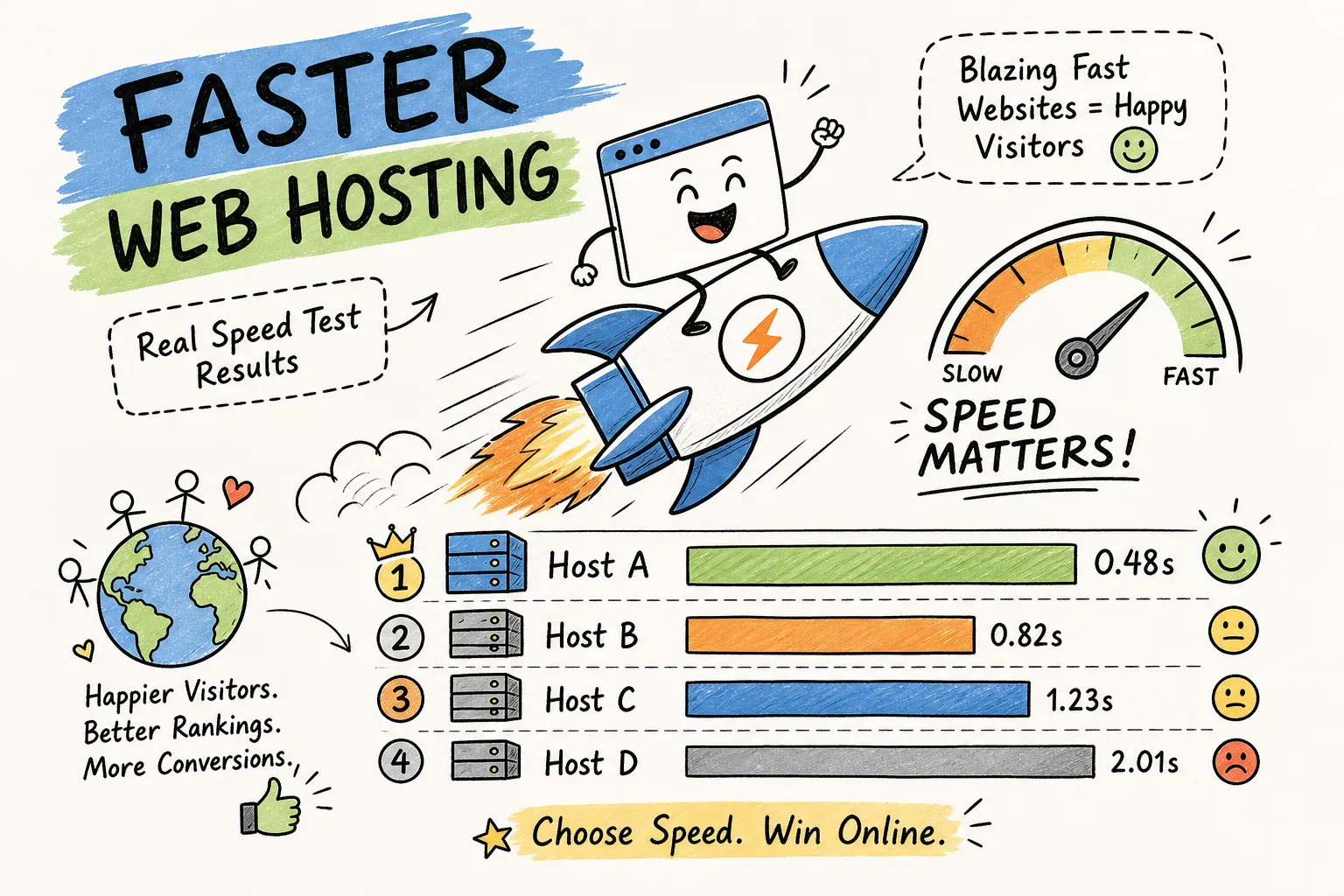
How do I find fast web hosting on a budget? It’s a question that trips up a lot of site owners, partly because many assume cheap hosting means a slow website. That assumption costs real traffic, real rankings, and real customers. The good news is that the gap between budget web hosting and fast hosting has narrowed, but only if you know which specs to demand and which benchmarks to trust before you hand over your credit card.
The difference between a 0.8-second load time and a 3-second load time often comes down to a handful of infrastructure decisions the host makes, not how much you pay. Specifically: NVMe vs. SATA storage, server-level caching (LiteSpeed or NGINX), CDN availability, and PHP execution handling. A lower-cost plan running LiteSpeed can outperform a pricier plan on a plain Apache stack with no caching layer. Price and performance are not the same variable, and conflating them is one of the most common mistakes new site owners make.
This guide walks through the specific specs that predict speed at the budget tier, how to evaluate benchmark data honestly, which providers consistently show up in real-world testing, and how to squeeze maximum performance out of whatever cheap fast hosting plan you land on. Speed test results and pricing comparisons referenced here reflect the kind of side-by-side data published at Hosting Offer Today, which tracks real-world benchmarks and regularly updated discount coupons across the top providers.
How Do I Find Fast Web Hosting on a Budget: Key Specs That Actually Matter
Before you compare prices, compare server specs. Two plans at the same monthly rate can deliver wildly different performance depending on a handful of infrastructure choices, and most hosts bury the important details in marketing language that sounds identical across providers.
SSD and NVMe storage: the non-negotiable baseline for low-cost SSD hosting
Standard SSD storage is now common at the budget tier, but NVMe SSD is a different class entirely. NVMe drives read and write data up to several times faster than traditional SATA SSDs, and for database-heavy WordPress sites, that difference shows up directly in server response times. Hostinger’s entry-level plans include NVMe SSD as a baseline, while many competitors still advertise plain “SSD” without specifying the type. When you’re reading a plan’s spec sheet, look for “NVMe” explicitly. If the listing just says “SSD,” that’s worth a follow-up question before committing.
CDN inclusion: inexpensive hosting with CDN delivers edge-speed delivery
Many entry-level plans now include Cloudflare CDN integration, including plans from Bluehost, AccuWeb, and Hostinger. The practical benefit is straightforward: a visitor in Texas loading images and CSS from a US edge node, rather than a single origin server in Europe, cuts round-trip time on every request. If the plan you’re evaluating doesn’t include CDN access, find out the cost to add it separately. Cloudflare’s free tier is a reasonable fallback, but having it built into the hosting stack and pre-configured generally simplifies setup and lowers the risk of misconfiguration.
Server-side caching and LiteSpeed: the biggest speed differentiator in cheap fast hosting
LiteSpeed web servers with built-in LSCache consistently outperform plain Apache shared hosting at the same price point. SiteGround runs NGINX in front of Apache for caching; Hostinger uses LiteSpeed across its shared plans. Both approaches are meaningfully faster than an uncached Apache setup because they eliminate repetitive PHP execution for pages that don’t change between requests.
The hosting stack matters more than the price tag. A lower-cost plan running LiteSpeed will outperform a higher-cost plan on Apache with no caching layer. That’s supported by benchmark data from WPShout showing that removing host-level caching caused average TTFB to rise by as much as 347% on budget hardware.
How to Read Hosting Speed Benchmarks Before You Commit
Benchmark data is only useful if you know how to read it critically. Hosts publish their own performance numbers, third-party reviewers test in different conditions, and none of it means much without understanding which metrics predict real-world user experience.
TTFB: the metric that reveals what cheap hosting actually costs you
Time to First Byte (TTFB) measures how long the server takes to respond before the browser can download anything. It precedes every other load metric, including First Contentful Paint and Largest Contentful Paint, which means a slow TTFB creates a blank-screen delay that blocks the entire loading sequence. Google’s developer guidance treats a TTFB under 200ms as strong and 200, 500ms as acceptable for dynamic content; ranges above 500, 800ms are flagged as increasingly problematic, though thresholds vary by content type and connection speed.
In 2026 benchmark testing, Hostinger posted a 223ms TTFB and an average load time of 0.8 seconds, with 100% uptime across multiple independent monitoring periods. IONOS recorded a 0.78-second load time in independent WebsitePlanet testing. SiteGround came in at 240ms TTFB. WordPress.com showed a 319ms TTFB in HostingStep’s 2026 tests, though it operates differently from a traditional shared host. Those numbers give you a realistic baseline for what good looks like at the budget tier.
Lighthouse scores vs. real-world load time: why they don’t always match
Lighthouse runs in a synthetic environment, not under real visitor conditions. A host can score 90+ on a demo page with no plugins and a default theme while delivering sluggish results on an actual WordPress install with a page builder, a WooCommerce catalog, and a dozen active plugins. When you’re evaluating benchmark data, look for tests run on populated WordPress installs rather than blank installations. The results will be less flattering and far more useful.
Where to find reliable speed comparison data
Hosting Offer Today publishes side-by-side speed test results alongside current pricing and coupon codes across major budget providers, a performance-first lens rather than a list of generic promotional claims. For additional reference, independent testing from sources like WebsitePlanet and EXPERTE provides useful data points, but always check where the test server is located. A test run from a European node will show different results for US-based hosting than a test run from a US location. (Also see Hostinger vs Namecheap: 5 Key Speed Differences in 2026 for a direct provider comparison.)
Budget Hosting Providers That Consistently Deliver Fast Load Times
The providers below show up repeatedly in independent testing across multiple sources, not just a single review with a financial stake in the outcome. Here’s what the data actually shows for each.
Hostinger: a strong all-around pick for cheap fast hosting
Hostinger posts a 223ms TTFB and a 0.8-second average load time in 2026 testing. Its entry-level plans include NVMe SSD storage, LiteSpeed with built-in cache, and CDN support. The combination of those three features at a low price point is what separates it from providers offering similar intro rates without the performance stack. (See our Hostinger Review 2026 for Beginners: Speed & AI Features Tested for a deeper look at those specs.)
One honest caveat: Hostinger’s renewal prices increase substantially from the promotional rate, with the Premium Shared plan moving from $1.99/month to $10.99/month on renewal. That’s still competitive for what you’re getting, but factor the renewal cost into your total cost of ownership, not just the first-term price. For WordPress bloggers and beginner site owners who want speed without infrastructure complexity, it’s a well-supported option at the budget tier.
SiteGround and IONOS: solid alternatives that hold up in testing
SiteGround uses NGINX caching in front of Apache and consistently posts strong TTFB results, coming in at 240ms in 2026 benchmark data with 100% uptime in independent monitoring. IONOS edged Hostinger slightly in WebsitePlanet’s load time test at 0.78 seconds, making it a credible alternative, especially for US-based sites targeting domestic traffic. Both carry 99.9% uptime guarantees backed by real testing results.
The honest trade-off with SiteGround is renewal pricing: its introductory discount is significant, and the renewal rate is noticeably higher. InterServer, which appears in many budget roundups, renews at nearly three times its introductory rate. Always look up the renewal price before signing a multi-year term at an intro rate. The savings on year one can disappear quickly if you’re locked into renewal pricing you didn’t plan for.
Cloudways: when your budget can stretch slightly for better control
Cloudways is not the cheapest entry point in the budget tier, but it consistently posts low TTFB scores in testing and gives you more configurability than shared hosting without requiring you to manage a raw server. It’s the right choice when you’re outgrowing shared hosting but aren’t ready to handle server administration yourself, a practical bridge between budget shared plans and fully managed VPS pricing.
Shared Hosting vs. Budget VPS: When the Upgrade Actually Makes Sense
Moving from shared to VPS is a real performance upgrade in some situations and a waste of money in others. The deciding factor isn’t traffic volume, it’s whether your current host is the actual bottleneck.
What you actually gain by switching to a budget VPS
Migrations from shared hosting to a budget VPS can produce noticeable performance improvements. One documented example shows a site dropping from 3.2 seconds to 1.4 seconds time-to-interactive after switching, a reduction of 1.8 seconds. The core benefit isn’t always raw speed; it’s consistency. Shared hosting means your server resources compete with other sites on the same machine. A VPS allocates dedicated CPU and RAM, which eliminates the “noisy neighbor” problem that causes unpredictable slowdowns during peak hours.
Monthly cost reality and the decision framework
Shared hosting typically runs $5, 15/month at the budget tier, making it the right starting point for most sites. Unmanaged VPS plans start around $5, 10/month but require comfort with server administration, suitable for developers and technically confident owners. Managed VPS plans run $20, 60/month or higher and include support and server management, which suits growing businesses that need reliability without a dedicated sysadmin.
As a practical rule of thumb: if your site’s TTFB is consistently above 600ms and switching shared hosts doesn’t fix it, a budget VPS is worth evaluating. If your TTFB is already under 300ms, optimize the site itself before upgrading hosting. Budget VPS hosting makes the most sense for growing WordPress sites, WooCommerce stores, or anyone running multiple sites on one account where shared resource limits are becoming the constraint.
Practical Tweaks to Maximize Speed on a Budget Hosting Plan
Picking the right host handles most of the heavy lifting. These three configuration changes build on that foundation, apply them in order for the best results.
1. Enable full-page server caching before anything else
Server-level static caching using FastCGI or LiteSpeed is faster than any PHP caching plugin. WPShout testing found that removing host caching caused average TTFB to rise by 347%, which shows how much this single layer matters on budget hardware. On Hostinger, install and activate the LiteSpeed Cache plugin and verify full-page caching is enabled. On SiteGround, SuperCacher is active by default, but confirm the settings in your control panel to make sure static caching is turned on, not just browser caching.
2. Set up your CDN and convert images to WebP
Once server caching is in place, add Cloudflare (free tier works well and is often pre-integrated) to serve static assets from edge locations closer to your visitors. Convert your images to WebP format and enable lazy loading so images below the fold don’t load until a visitor scrolls to them. Image weight is typically the second biggest contributor to slow load times after server response, and combining CDN delivery with WebP conversion addresses both server-side and delivery-side bottlenecks at once.
3. Upgrade to the latest stable PHP version and enable opcode caching
PHP 8.x runs measurably faster than PHP 7.x for WordPress, reducing execution time per request. On most cPanel hosts, this is one dropdown change in your hosting control panel. Enable opcode caching at the same time, it stores compiled PHP code in memory and reduces the overhead of parsing PHP files on every request. Treat both as baseline fixes that reinforce your caching layer; the gains are real, but smaller than what you’ll see from caching and CDN setup.
The Bottom Line on Finding Fast Web Hosting on a Budget
So, how do you find fast web hosting on a budget? Start by filtering for hosts that include LiteSpeed or NGINX caching, NVMe or SSD storage, and CDN support at the entry level. The providers that consistently show up in real benchmark testing, Hostinger, SiteGround, and IONOS, are the right starting point for most WordPress sites and small business owners comparing options in 2026.
After picking the right host, the speed gains stack in a clear order: server cache first, then CDN combined with image optimization, then PHP version upgrade. Each layer builds on the previous one. Skipping to image optimization before caching is in place is like repainting a car with a flat tire.
Your next step is to visit Hosting Offer Today to compare current speed test results, 2026 pricing, and discount coupons across the top budget providers. Hosting Offer Today publishes frequent updates so you’re working with current performance data and prices, not figures from a review written two years ago. Compare with real numbers and make the switch based on data, not a discount pitch. For a final comparison dive, see Hostinger vs Namecheap 2026: Speed, Price, and Which to Pick on Hosting Offer Today.