Knowing what factors matter most when selecting a web hosting provider for a new website is the difference between a site that runs smoothly from day one and one that bleeds money in renewal fees and downtime you didn’t budget for. The hosting market has thousands of providers, and nearly all of them make the same promises: blazing speed, rock-solid uptime, 24/7 support, and a price so low it feels like a mistake. Many beginners pick the first one they see in a sponsored post or grab the cheapest promotional price and hit “Buy Now”, a pattern that commonly leads to downtime surprises, unexpected renewal bills, and slow support queues when problems hit.
Choosing a host isn’t about finding the cheapest option. It’s about matching the right technical specs to what your site actually needs right now, and what it will need six months from now. The factors covered in this guide are the same ones the team at Hosting Offer Today uses when running speed tests and building pricing comparisons across dozens of providers each year. By the end, you’ll have a ranked set of priorities for your site type, a working framework to compare any two providers side by side, and a confident next step to move forward without second-guessing yourself.
How to choose web hosting: what factors matter most when selecting a web hosting provider for a new website
Before diving into each factor individually, it helps to understand how they interact. Uptime, speed, pricing, storage, security, support, and scalability don’t operate in isolation, the right balance depends entirely on your site type, traffic stage, and tolerance for downtime. Use the sections below as a prioritized checklist, not a ranked list where every item carries equal weight.
1. Uptime guarantees: what the SLA numbers actually mean
Many hosts advertise “99.9% uptime” as though it’s the gold standard. It isn’t. In practice, 99.9% allows for roughly 43 minutes of downtime every single month. That’s not a catastrophe for a personal blog, but for a small ecommerce store running a flash sale, 43 minutes offline can erase hundreds of dollars in revenue before anyone notices the site is down.
Why 99.9% and 99.99% are not the same thing
The jump from 99.9% to 99.99% is bigger than it looks. At 99.9%, a host can go offline for up to 43 minutes per month and still meet its SLA. At 99.99%, that drops to just over 4 minutes per month. The five-nines standard, 99.999%, cuts annual downtime to about 5 minutes total, but that tier is exceptional and reserved for enterprise-grade infrastructure. For most small business or blog use cases, a host that genuinely delivers 99.99% is more than sufficient.
How to read an uptime SLA before you commit
The SLA percentage is just the headline. What matters more is what’s buried in the fine print. Check whether scheduled maintenance counts toward your uptime calculation, it often doesn’t, which inflates the advertised number. Look at what the host actually gives you if they miss the guarantee: most offer account credits, not refunds, and those credits rarely come close to covering revenue lost during an outage.
A credible SLA paired with independent monitoring data matters more than the advertised number. Third-party monitoring data for 2026 puts providers like Hostinger at 99.98% to 99.99% actual uptime, which aligns with their SLA claims. Use that kind of external verification as your baseline, not the marketing page. For a deeper look at Hostinger’s real-world performance and features, see our Hostinger Review 2026 for Beginners: Speed & AI Features Tested.
When you evaluate SLA fine print and what “guaranteed” uptime actually means in practice, it’s useful to review industry commentary on uptime guarantees and data center reliability to understand how providers measure and report availability. Datacenter analysis that explores uptime guarantees can help you interpret provider promises against independent metrics: Ensuring Data Center Reliability: Exploring Uptime Guarantee.
2. Page load speed and the hosting infrastructure behind it
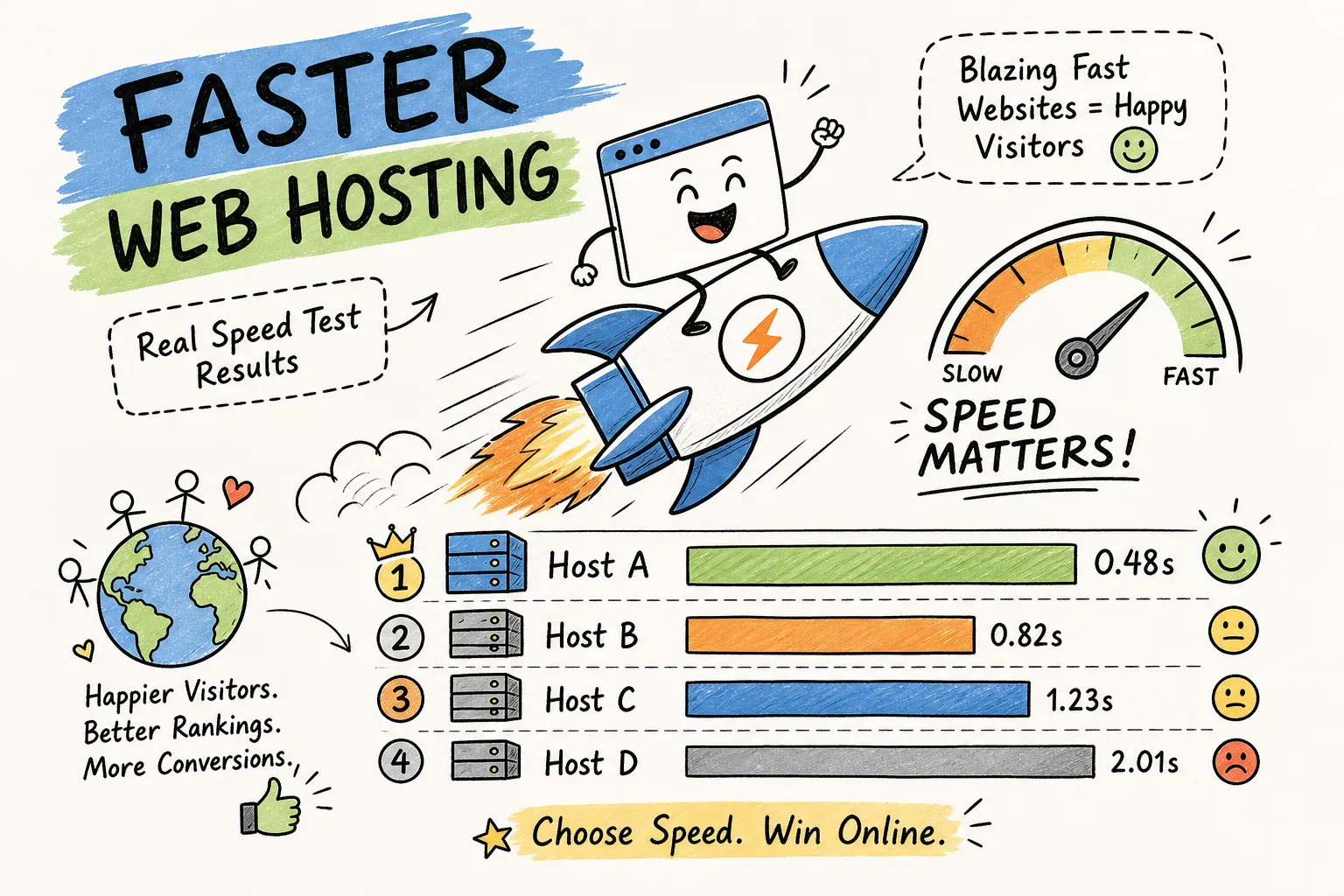
Speed is not a cosmetic metric. Google uses Core Web Vitals as a ranking signal, and research consistently shows each additional second of load time reduces conversions and increases bounce rates. What most site owners miss is that hosting infrastructure is the foundation of page speed. Your theme and image sizes matter, but if the server itself is slow, no amount of front-end optimization fixes the problem at the source.
Server location and latency for a U.S.-based audience
A server in the same U.S. region as your audience typically delivers a Time to First Byte under one second. A server located on a different continent can push that to 2 to 4 seconds before a single element of your page has loaded. Start by identifying where your audience is concentrated using Google Analytics or Cloudflare Radar, then match that to a host’s available U.S. data centers. East Coast audiences benefit from servers in Virginia, New York, or Chicago. West Coast audiences are better served by Los Angeles or Seattle. The mismatch between audience location and server location is one of the most common and fixable performance problems for new site owners.
What CDN access tells you about a host’s performance commitment
A host that bundles a CDN or integrates cleanly with Cloudflare is signaling something meaningful: they understand that performance is a distribution problem, not just a hardware problem. A well-implemented CDN can reduce load times by 40 to 70 percent for users located far from your origin server, simply by caching static assets closer to where those users actually are. Independent performance benchmarks consistently show a wide gap between CDN-enabled and non-CDN setups on shared plans, wide enough to move a site from a 2-second load to a sub-1-second load without changing a single line of code.
3. Pricing tiers: what you actually get at each level
Hosting pricing is structured to look cheap at signup and expensive on renewal. Understanding what each tier actually delivers helps you match your budget to your real use case, not just the headline number you saw in an ad.
Breaking down shared, VPS, managed WordPress, and dedicated costs
Current 2026 pricing across major providers falls into predictable ranges: shared hosting runs about $2 to $15 per month, VPS runs $10 to $100 per month depending on resource allocation, managed WordPress sits at $15 to $30 per month for typical small business plans, and dedicated servers range from $80 to $500 per month.
What drives those differences isn’t arbitrary. Shared hosting puts you on a server with hundreds of other sites, which keeps costs low but means you compete for resources. VPS gives you isolated resources and more control. Managed WordPress adds WordPress-specific tuning, automatic updates, and security hardening on top of VPS-level infrastructure. Dedicated is complete hardware isolation, usually overkill for a new site unless you have specialized compliance needs or very heavy traffic from day one.
The renewal pricing trap most beginners fall into
The promotional price gets the signup. The renewal price, often 2 to 5 times higher, is what you actually pay long-term. Budget hosts commonly advertise plans at $1.99 to $3.99 per month, with renewals landing at $9.99 per month or more. That’s a 150 to 400 percent increase depending on which promo price you were shown. Always check the renewal rate before committing to any hosting plan. If you want to see how one major provider documents its renewal pricing and common questions around renewals, review the Bluehost renewal price FAQ to understand typical renewal structures and how they present that information to customers.
4. Storage, bandwidth, and resource limits matched to your site type
“Unlimited” plans are almost never truly unlimited. Every host governs resource usage through acceptable-use policies, and sites that spike beyond undisclosed thresholds get throttled or suspended. Knowing what your site actually needs, in concrete numbers, lets you spot plans that are genuinely adequate versus those that look generous until you read the terms.
Matching disk space and bandwidth to your traffic stage
Here’s what the numbers look like by site type, based on realistic page size and traffic estimates with a 20 to 30 percent buffer built in for spikes. A personal blog at around 500 monthly visitors needs 1 to 2 GB of storage and 1 to 2 GB of bandwidth per month. A small ecommerce store at 1,000 monthly visitors needs 5 to 10 GB of storage and 5 to 8 GB of bandwidth per month, driven by heavier product pages with multiple images. A growing store hitting 10,000 or more monthly visitors needs 20 to 50 GB of storage and 30 to 50 GB of bandwidth per month, and at that volume, a hard cap becomes a real liability.
If you’re unsure how much bandwidth and storage you’ll need for your specific site and traffic profile, this practical guide walks through typical bandwidth and storage needs to help you pick the right plan: How much bandwidth and storage do I need for my website.
What “unmetered bandwidth” actually means and when it matters
Unmetered bandwidth doesn’t mean unlimited. It means no hard cap, but usage is still governed by the host’s acceptable-use policy. For sites under 1,000 monthly visitors, this distinction rarely matters in practice. For a growing store running flash sales or seasonal traffic spikes, a host that throttles or suspends accounts at peak load is a genuine business risk. Before signing up for any unmetered plan, search the host’s terms of service for phrases like “fair use” or “resource abuse.” If those phrases appear without clear thresholds, ask support to define them before you’re in a high-traffic situation and unable to get a straight answer.
5. Security features: what’s bundled and what costs extra
Security features vary dramatically by host and plan level. Some providers include real protection at signup. Others bundle it into upsell packages marketed as “website security” products. Knowing the difference before you buy prevents both budget surprises and actual coverage gaps that leave your site exposed.
Free SSL, daily backups, and WAF across popular providers
Free SSL is nearly universal across mainstream hosts in 2026, Hostinger, Bluehost, and SiteGround all include it by default across plans. Daily backups are less consistent: SiteGround includes them on all shared plans, while Hostinger typically starts with weekly backups on entry-level plans and upgrades to daily on higher tiers.
WAF coverage is more variable. SiteGround includes a custom firewall by default across all plans. GoDaddy includes WAF as part of its Website Security product, meaning it’s not a default on basic shared hosting but is bundled once you’re on a security-tier plan. Elementor Hosting includes an enterprise-grade WAF on every plan. The gap between these providers is meaningful, especially if you’re running a site that handles user data or transactions.
Where malware scanning and removal split between included and paid
Malware scanning is often included in name only. Actual removal is typically a paid upgrade or reserved for higher-tier plans. DreamHost Review 2026: Testing Speed, Uptime & Unlimited Hosting‘s DreamShield add-on at $3 per month is a clear example of how removal gets separated from detection. For ecommerce sites, malware removal capability is not optional: according to Google Safe Browsing documentation, an infected site can be flagged and removed from search results within hours, meaning lost traffic and lost revenue until the issue is resolved. Either choose a host that includes active removal in your plan, or budget explicitly for the add-on before you launch.
6. Support quality: the factor that matters most when something breaks
Support is invisible until you need it. When your site goes down at 11 PM on a Friday before a product launch, the quality of your host’s support team becomes the most important spec on the entire list. No amount of cheap pricing or extra storage compensates for a support team that takes 24 hours to respond to a critical outage.
24/7 live chat vs. ticket-only support: how to test before you commit
Live chat response benchmarks for 2026 place strong performers at around 30 to 40 seconds for first contact, with an industry average closer to 2 minutes. Ticket-based systems typically take 4 to 24 hours for a first response, with budget hosts sometimes stretching into two-day waits. Before you sign up for any host, run a practical test: open their live chat with a specific technical question, time the first response, and note whether the answer is scripted or specific to your question. A scripted answer to a concrete technical question tells you everything you need to know about how that team handles real problems. For practical first-response time benchmarks and guidance on measuring initial contact metrics, see this reference on first response time expectations: first response time.
What support quality looks like across budget and premium tiers
Budget shared hosting typically routes support through generalist agents who follow decision trees. They handle billing questions and basic account issues, but they’re not the right resource for a WordPress conflict or a database error at 2 AM. Premium managed WordPress hosts like Kinsta and WP Engine staff their support queues with WordPress-specific engineers, a material difference when the problem is technical and urgent. Calibrate your support expectations to your own technical comfort level and the actual cost of downtime for your site. A personal blog can absorb a slow ticket queue. A transactional ecommerce site cannot.
7. Scalability: planning for growth before you actually need it
The biggest mistake new site owners make is buying for today’s traffic with no visibility into tomorrow’s needs. Switching hosts mid-growth is expensive, disruptive, and carries real risk. A botched migration during a high-traffic period can cost you rankings and revenue at the exact moment you can least afford it.
Signs a hosting provider can grow with you
Genuine scalability shows up in specific features: one-click upgrades from shared to VPS or cloud plans within the same provider ecosystem, cloud-based infrastructure that adds resources without requiring a full migration, and staging environments that let you test changes before pushing them live.
The red flags are just as telling. Watch for hosts that require a complete manual migration to move from shared to VPS, providers with no intermediate tier between basic shared and expensive dedicated, and companies that advertise “scalability” without specifying what it means in terms of actual resources or upgrade path.
When to upgrade and how to recognize the signals early
If monthly visitors cross 10,000 to 15,000 on a shared plan, performance degradation is likely already happening. TTFB on shared hosting under overcrowded conditions runs 600 to 900 milliseconds, compared to 100 to 250 milliseconds on a well-configured VPS. If your TTFB climbs over several weeks with no content changes on your end, that’s a server-resource signal, not a code problem. Build your two- or three-provider shortlist now, before growth makes the decision urgent, so the upgrade path is already mapped when you need it.
8. How to build your provider shortlist using real data
Comparing the entire hosting market is overwhelming and unnecessary. Narrowing to two or three providers using real performance data and transparent pricing is far more effective than reading 40 marketing pages and trying to compare feature checkboxes that hosts define differently.
Using speed test results and pricing guides to compare providers objectively
The most reliable comparison approach combines independent TTFB benchmarks across U.S. server locations with side-by-side pricing breakdowns that include renewal rates, not just promotional prices. Published 2026 benchmark data shows managed WordPress hosts generally delivering 150 to 367 milliseconds for U.S.-based sites, with top performers under 200 milliseconds when caching is active. VPS configurations typically land in the 100 to 250 millisecond range. Shared hosting on budget plans runs 600 to 900 milliseconds under load.
Hosting Offer Today’s speed test comparisons and pricing guides are built specifically for this kind of evaluation, covering providers like Hostinger, Bluehost, SiteGround, Kinsta, and WP Engine with current 2026 data, so you’re comparing measured performance against what each plan actually costs after the promo period ends. For a head-to-head speed-focused comparison between two popular budget providers, see Hostinger vs Namecheap: 5 Key Speed Differences in 2026.
The money-back test: a low-risk way to validate your top pick
Pick the top provider from your shortlist, sign up for the shortest available plan term, and install a staging version of your site. Run your own TTFB tests using GTmetrix or WebPageTest, selecting U.S. city locations that match where your audience is concentrated. If performance holds up over 7 to 10 days and your results align with the benchmarks you reviewed before signing up, keep it. If the numbers don’t hold, use the money-back guarantee and move to provider two on your list.
This approach makes the decision reversible. It removes the paralysis of trying to pick the perfect host upfront, because you’re not committing long-term until you’ve validated actual performance on your actual site.
Putting this framework to work
This hosting provider checklist comes down to seven variables: uptime SLA with independent verification, speed infrastructure including server location and CDN access, transparent pricing that includes renewal rates, resource limits matched to your actual traffic stage, security coverage with clear boundaries between included and paid features, support quality tested before you buy, and a scalability path that doesn’t require a crisis to trigger. No single host wins on every dimension, and the trade-offs are real. A budget shared host might hit 99.98% uptime but deliver 700-millisecond TTFB, that’s an illustrative trade-off, not a guaranteed pairing. A premium managed WordPress host might deliver 180-millisecond TTFB but cost five times more per month. Knowing which trade-offs matter least for your specific site type is what makes the decision clear instead of overwhelming.
Use Hosting Offer Today’s provider reviews, speed test data, and verified deal pages to apply this framework against real options with current 2026 pricing. Build your two- or three-provider shortlist based on measured performance and actual costs, not promotional copy. Then apply the principles covered here for how to choose web hosting for a new website: pick your top provider, run the money-back test this week, and decide what factors matter most when selecting a web hosting provider for a new website based on results you verified yourself.