Your site just got picked up by a major news outlet. Traffic surges from 500 daily visitors to 50,000 in under an hour. Pages time out. The checkout process stops working. Your host’s servers buckle under the load, and by the time the wave passes, you’ve lost hours of revenue and a once-in-a-year traffic opportunity. If you’re asking what is the best web hosting for a high traffic website, this guide compares top providers on real infrastructure benchmarks, not marketing copy, so you can make the right call before your next traffic event.
Not every host is built for sustained traffic or sudden spikes. The gap between a host that survives a traffic event and one that collapses under it comes down to specific infrastructure choices: auto-scaling architecture, CDN integration, database configuration, and how server resources are allocated under pressure. Marketing pages don’t tell you this. Benchmark data does.
This guide draws on independently tested speed and uptime data, including benchmarks published at Hosting Offer Today, where real-world performance numbers replace the vendor-supplied figures you’ll find on hosting sales pages. What follows covers the technical factors that separate scalable hosts from inadequate ones, compares the top contenders with real performance data, and maps each option to a realistic traffic tier and budget so you can make an informed decision before signing up.
What actually makes a host capable of handling traffic spikes
Before you can evaluate any specific provider, you need a framework for what actually matters under load. Four infrastructure pillars determine whether a host holds up when traffic surges.
Auto-scaling and load balancing
Auto-scaling means the host can spin up additional compute resources when CPU hits a defined threshold, typically around 80%, rather than queuing or dropping requests. There are two approaches: horizontal scaling adds more server instances, while vertical scaling increases RAM and CPU on a single server. Horizontal scaling is generally more resilient for traffic spikes because it distributes load across multiple nodes.
Kinsta uses Kubernetes-based scaling with a configurable range of 1 to 10 pods, triggered when CPU utilization exceeds 80%. Cloudways Autonomous also uses horizontal pod-based scaling but caps at 20 instances. WP Engine’s enterprise tier provisions resources within seconds during surges, spreading WordPress across multiple containers that scale independently. The key question when evaluating any host is whether scaling happens automatically or requires manual intervention.
CDN integration and edge caching
A CDN reduces origin server load by serving cached assets from edge nodes closer to the visitor. During traffic spikes, this matters enormously: static assets stop hitting your server entirely, which means your origin server only needs to handle dynamic requests. Kinsta fronts all plans with Cloudflare, which handles both static CDN delivery and dynamic edge caching. WP Engine includes a Global CDN with edge caching as part of its three-layer caching architecture. Cloudways integrates Cloudflare as a managed feature, while raw cloud providers like AWS and DigitalOcean require you to configure CDN services separately.
Auto-scaling hosting vs. dedicated server hosting for high traffic
Uptime SLAs guarantee a percentage of availability, but they don’t guarantee performance under load. Kinsta offers up to 99.99% uptime on enterprise plans. WP Engine publishes 99.99% on its Core+ tier. Cloudways publishes no formal uptime SLA, which is worth noting if you’re comparing contracts. Beyond the SLA number, isolated server resources matter more than shared CPU pools during spike events. Auto-scaling cloud hosting adds capacity dynamically as demand rises, while dedicated servers give you fixed, predictable resources with no elasticity. Shared hosting puts multiple sites on the same CPU, which means your traffic surge becomes everyone else’s problem too.
How to choose the best web hosting for a high traffic website
The right hosting type depends almost entirely on your monthly visitor count, expected growth rate, and whether your traffic is steady or prone to unpredictable spikes. Here’s a practical decision framework.
Best web hosting for a high traffic website at each traffic tier
At the 100k to 500k monthly visitor range, higher-tier managed WordPress hosting handles most workloads comfortably. WP Engine’s Performance Plan, InMotion’s WP Pro with UltraStack and NVMe SSDs, and Hostinger’s Cloud Startup tier all fall into this range. The key differentiators at this traffic level are isolated resources and optimized caching: you need a host where your site isn’t competing for CPU with hundreds of neighbors. Budget expectations run from $30 to $150 per month depending on the provider and plan tier.
InMotion’s WP Pro is particularly strong here. 2026 benchmarks recorded TTFB between 115 and 344ms and fully loaded times between 0.49 and 0.76 seconds, which is competitive with managed hosts costing significantly more. If your traffic is relatively predictable and you’re not yet pushing past 500k monthly visits, InMotion or WP Engine’s mid-tier plans represent solid value.
Above 500k monthly visitors, the architecture conversation shifts substantially. Shared or entry-level managed WordPress plans can struggle at this scale due to limited connection pools, database resource constraints, and the absence of true redundancy. Kinsta on Google Cloud is the strongest match, with enterprise plans designed for 200k to 1M+ monthly visits starting at $675 per month for the Enterprise 1 tier.
Cloud auto-scaling platforms and dedicated infrastructure become necessary above this threshold. The question shifts from “which managed WordPress host?” to “what underlying infrastructure supports my growth trajectory?” Kinsta’s Enterprise tiers scale from 1 million visits at $675/month to 3 million visits at $1,650/month, a notable cost increase, but one that reflects genuine infrastructure investment at that scale.
Kinsta, WP Engine, and Cloudways benchmarked side by side
Infrastructure claims are easy to make. What separates these three providers is how their architecture performs under real conditions, not what their sales pages say. For direct speed test data, see Kinsta vs WP Engine: 5 Crucial Speed Test Results in 2026.
Kinsta’s infrastructure and real-world performance
Kinsta runs on Google Cloud with Kubernetes-based auto-scaling and Cloudflare fronting every plan. According to Kinsta’s published feature documentation, Cloudflare handles DDoS mitigation, static CDN delivery, and dynamic edge caching, which means a significant portion of traffic never reaches the origin server during a spike. Load testing reviewed by Hosting Offer Today has shown Kinsta maintaining consistent response times across concurrent user loads, with TTFB performance that holds up as traffic increases. You can read about Kinsta’s automatic scaling behavior in their changelog Kinsta automatic scaling, and Cloudflare’s Kinsta case study provides an external view of the Cloudflare+Kinsta configuration Cloudflare case study: Kinsta.
Kinsta’s enterprise plans are genuinely built for sites in the 200k to 1M+ monthly visit range, and the infrastructure reflects that. The uptime SLA of up to 99.99% on enterprise tiers is backed by Google Cloud’s underlying redundancy. Before committing to a plan, review the independently verified speed and uptime data at Hosting Offer Today, where current 2026 benchmarks give you a performance baseline that isn’t sourced from Kinsta’s own documentation.
WP Engine’s three-layer caching and spike handling
WP Engine’s architecture uses three caching layers: edge caching for static assets at the CDN level, page caching at the application level, and Redis object caching to reduce database load. According to WP Engine’s technical documentation, during surges, requests are intercepted at multiple points before ever hitting the origin server. WP Engine’s containerized platform provisions resources within seconds of a traffic event, spreading load across multiple independent containers.
WP Engine’s uptime SLA sits at 99.99% on Core+ plans. The three-layer caching architecture is particularly effective for WordPress sites with high page view counts and relatively low dynamic query rates. For content-heavy sites rather than transaction-heavy ones, WP Engine’s caching stack handles traffic events cleanly. If you’re trying to estimate whether your current plan will hold, WP Engine’s own guidance on capacity is a useful reference: how much traffic can your website handle?
Cloudways as a flexible middle ground
Cloudways sits between raw cloud providers and fully managed hosts. It gives you access to DigitalOcean, AWS, and Google Cloud infrastructure through a managed dashboard, without requiring you to configure load balancers and scaling policies from scratch. Its Autonomous tier uses horizontal Kubernetes pod scaling triggered at 80% CPU utilization, with a cap of 20 instances. Cloudflare CDN integration is included as a managed feature.
Database options include MariaDB Galera Cluster for high availability, which is a genuine differentiator for database-heavy sites that need synchronous replication and failover. Cloudways requires more configuration than Kinsta or WP Engine, but that flexibility translates to lower cost and more control over your infrastructure. Independent benchmark comparisons have noted that Cloudways Autonomous can perform strongly under heavy concurrency in WooCommerce-style workloads, though scale-out coordination can introduce brief latency during rapid pod additions if caching isn’t tuned correctly.
Other strong contenders for specific use cases
The three headline providers aren’t the right fit for every budget or tech stack. Two other options deserve attention depending on where your traffic sits.
InMotion and SiteGround for mid-range traffic
InMotion’s WP Pro plan with UltraStack technology and NVMe storage handles 500k monthly visits effectively based on 2026 benchmark data. GTmetrix results show TTFB of 115 to 344ms and fully loaded times of 0.49 to 0.76 seconds, putting it in competitive territory for a managed WordPress host at this price point. If your traffic sits in the 100k to 500k range and you want strong performance without paying Kinsta-level prices, InMotion is worth a close look.
SiteGround’s cloud hosting tier is positioned for large sites with advanced needs and starts around $100 per month. TechRadar testing observed fast response times and 100% uptime during its review window, though independent reviews have rated load times as average relative to peers at the same price point. SiteGround’s cloud tier gives you more isolation than shared hosting and a managed interface, but it doesn’t offer the same degree of auto-scaling automation as Kinsta or Cloudways.
For a curated set of non-Kinsta options that can handle high traffic, see our roundup of 7 Best Kinsta Alternatives 2026: Hosting for High Traffic.
When raw cloud providers make sense
AWS and Google Cloud direct offer the most granular auto-scaling control available, with EC2 Auto Scaling Groups, GKE Autoscaler, and configurable target tracking policies that can trigger on CPU, memory, or custom metrics. The trade-off is configuration complexity: load balancers, scaling groups, and CDN services all require manual setup and ongoing maintenance. This option makes sense for teams with dedicated DevOps capacity and performance requirements that managed hosts genuinely can’t meet. For most WordPress-based businesses, the engineering overhead isn’t justified unless your scale demands it.
The real cost of scaling: what you’ll pay at each traffic tier
Pricing for high-traffic hosting follows a clear pattern as resources increase. Here’s what the numbers actually look like across hosting categories.
Managed WordPress pricing by traffic level
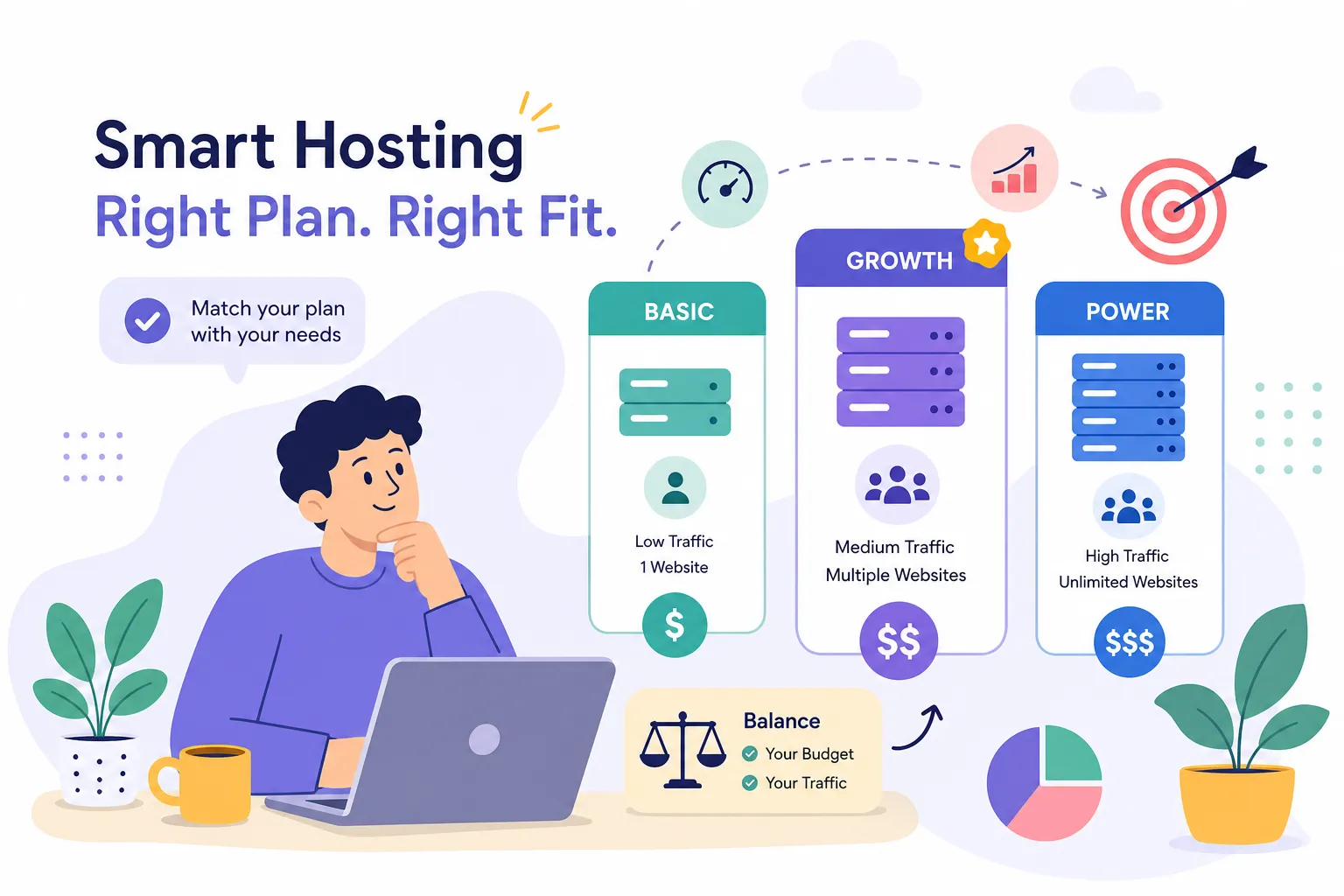
Entry managed WordPress plans run $10 to $30 per month for low-traffic sites. Moderate traffic up to 100k monthly visits lands in the $30 to $80 range. High-traffic tiers push into $80 to $400 or more per month. What changes as pricing increases: dedicated resources replace shared pools, PHP workers increase to handle more concurrent requests, auto-scaling triggers fire faster, and support SLAs become more substantive. Kinsta’s enterprise tiers start at $675 per month for 1 million monthly visits, which is a different category entirely from managed WordPress hosting for smaller sites.
Cloud and dedicated hosting cost expectations
Cloud auto-scaling starts as low as $5 to $25 per month for light traffic but scales with usage. At the moderate-to-high range, expect $75 to $300 or more per month. Dedicated hosting begins at $100 to $300 per month and rises sharply for enterprise-grade servers. The trade-off is worth understanding clearly: dedicated hosting gives you predictable resource allocation and no noisy neighbors, but zero elasticity when traffic spikes. Cloud auto-scaling handles sudden surges gracefully, but costs can climb alongside traffic if you haven’t configured billing caps. For most high-traffic sites, cloud auto-scaling with a managed interface, like Cloudways, balances flexibility and cost more effectively than dedicated hardware.
Moving your site without losing rankings or traffic
Choosing the right host is step one. Getting there without losing search visibility or revenue is where most migrations break down.
Pre-migration steps that protect your rankings
Lower your DNS TTL to 300 seconds several days before the planned switch. This ensures that when you make the DNS change, propagation is fast and the window where visitors might hit the wrong server is minimal. Crawl your current site with a tool like Screaming Frog to document every live URL, then build a URL mapping document that specifies whether each URL stays the same, redirects, or gets removed.
Set up a staging environment on the new host before touching any production settings. Skipping the staging step is the single most common cause of launch-day failures: problems that are obvious in staging are catastrophic in production. Establish baseline analytics data before you migrate, record your current organic traffic, keyword rankings, and backlink profile so you have a clear comparison point for post-migration performance. Implement 301 redirects for any URLs that change, and verify them in staging before the switch. If you’re keeping the same URL structure, the redirect work is minimal, but any structural changes require a complete redirect map. For a practical, task-driven migration checklist, the industry-standard website migration checklist is a helpful reference.
Minimizing downtime and planning for recovery
With proper DNS prep and server pre-warming, technical downtime can be near-zero. In practice, a brief maintenance window of 15 to 30 minutes is often safer than a live cutover for database-heavy sites, because it ensures data integrity during the transition. A clean, planned maintenance window beats an unplanned outage caused by a mid-migration database write conflict.
Set realistic expectations on traffic recovery: sites with significant URL structure changes typically take 2 to 8 months to fully recover search visibility. This isn’t a reason to avoid migration, but it is a reason to plan your post-migration monitoring carefully. Monitor Search Console and GA4 for at least 90 days after launch, marking the migration date in your analytics so traffic changes are attributable. Request link updates from high-authority sites pointing to old URLs, and keep your old XML sitemap active briefly to help search engines find new URLs faster.
The right host at the right price
The decision framework here is straightforward once you know your numbers. For sites up to 500k monthly visits, higher-tier managed WordPress hosting from InMotion, WP Engine, or Hostinger handles the workload at a reasonable cost. Above that threshold, Kinsta on Google Cloud or Cloudways Autonomous on DigitalOcean are the two most defensible choices for the best hosting for high-traffic websites, depending on how much configuration control you want and how predictable your traffic is.
Each of the three headline providers serves a different profile. Kinsta is the strongest choice for high-volume WordPress sites that need Google Cloud-backed infrastructure and are willing to pay for a fully managed experience. WP Engine suits teams that want automated multi-layer caching with strong support and don’t want to touch infrastructure configuration. Cloudways is the right pick for operators who want cloud flexibility and horizontal autoscaling at a lower price point, with the trade-off of more hands-on setup. For a broader comparison of provider pricing and performance in 2026, see Kinsta vs WP Engine 2026: Which Managed WordPress Host Wins?.
Answering the question of what is the best web hosting for a high traffic website ultimately depends on your traffic profile, budget, and tolerance for configuration complexity, use the framework above to pick the right host. Before you sign up for any plan, verify current-year pricing and run the benchmark numbers. Hosting Offer Today publishes independently tested speed comparisons, up-to-date 2026 pricing breakdowns, and coupon codes for the providers covered in this guide. Picking the right host at the right price is significantly easier when you’re working from verified performance data rather than a hosting provider’s homepage.